> ## Documentation Index
> Fetch the complete documentation index at: https://docs.steercode.com/llms.txt
> Use this file to discover all available pages before exploring further.
# Getting Started with Mobile Apps
> Learn how to get started building mobile apps with SteerCode
SteerCode builds native mobile apps using Expo and React Native.\
It’s also the **first mobile app that builds mobile apps**, so you can generate on the go—right from your iPhone or the web.
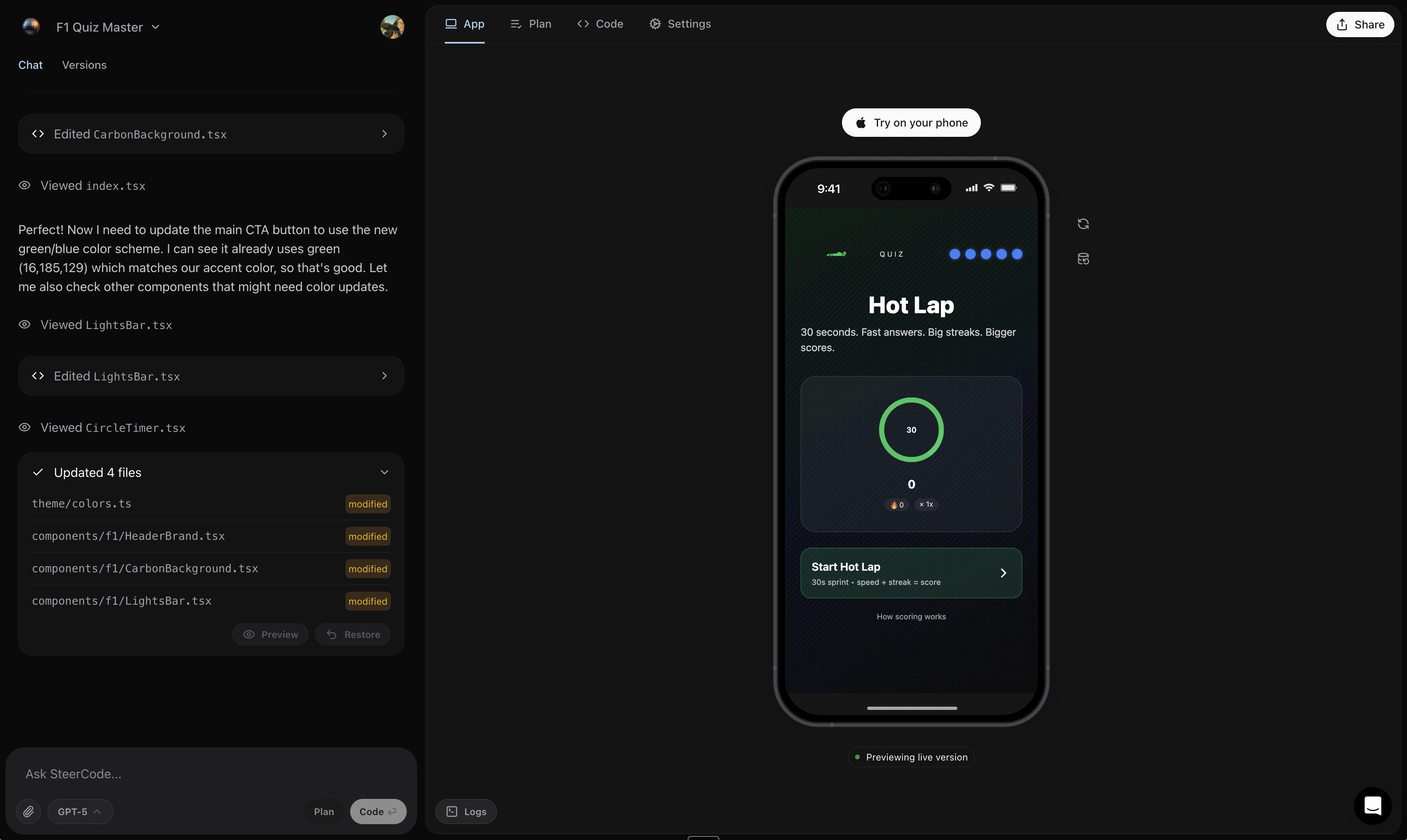 ## How it works
1. Open steercode.com or download the iOS app
2. Type (or voice-record) your app idea
3. Click **Generate**
In a few minutes you’ll have a custom native app. Apps can access location, contacts, calendar, camera, photo library, notifications, gyroscope, steps, sensors, flashlight, battery info, on-device/remote AI features, and more.
When requesting hardware features, mention each capability (e.g., “camera
capture with gallery permissions” and “background location updates”) so
SteerCode scaffolds the correct permissions and flows.
## Share instantly
* **iPhone**: Open instantly via **App Clip** — no App Store install required.
* **Android**: Preview in **Expo Go** from the Play Store.
Learn more: Instant app sharing · Publish to the App Store
Some device features require user permission prompts and real device testing.
Simulators may limit certain APIs.
Scan a QR code and see live updates as the agent works.
Add your SteerCode apps to iOS Home Screen via the widget.
Send an App Clip link for instant access on iPhone.
Export code and submit to Apple.
## How it works
1. Open steercode.com or download the iOS app
2. Type (or voice-record) your app idea
3. Click **Generate**
In a few minutes you’ll have a custom native app. Apps can access location, contacts, calendar, camera, photo library, notifications, gyroscope, steps, sensors, flashlight, battery info, on-device/remote AI features, and more.
When requesting hardware features, mention each capability (e.g., “camera
capture with gallery permissions” and “background location updates”) so
SteerCode scaffolds the correct permissions and flows.
## Share instantly
* **iPhone**: Open instantly via **App Clip** — no App Store install required.
* **Android**: Preview in **Expo Go** from the Play Store.
Learn more: Instant app sharing · Publish to the App Store
Some device features require user permission prompts and real device testing.
Simulators may limit certain APIs.
Scan a QR code and see live updates as the agent works.
Add your SteerCode apps to iOS Home Screen via the widget.
Send an App Clip link for instant access on iPhone.
Export code and submit to Apple.