> ## Documentation Index
> Fetch the complete documentation index at: https://docs.steercode.com/llms.txt
> Use this file to discover all available pages before exploring further.
# Code vs Plan Mode
> Learn the difference between code and plan modes in SteerCode
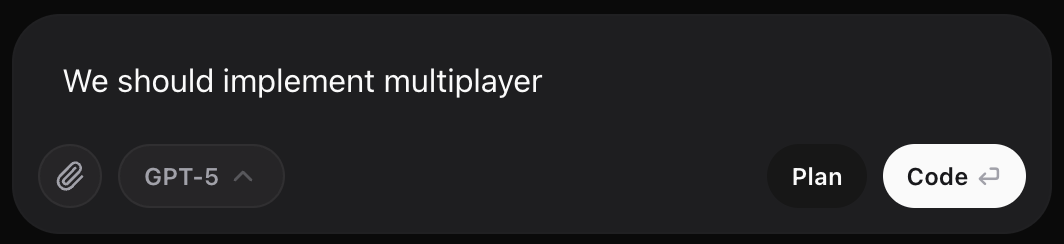 SteerCode gives you two ways to work:
* **Launches the coding agent** when you press **Send**.
* Reads and edits files, runs builds, searches the web, and applies changes.
* Each session **produces an updated app or website**.
* Best for **implementing features**, **fixing bugs**, **refactoring**, and **integration work**.
Code Mode modifies your project. Make sure your prompt is specific and incremental to avoid broad changes.
* **Does not write code**. It answers questions, explores options, and drafts a plan.
* Can **update the Project Plan** for future execution. See Plan.
* Best for **requirements**, **architecture decisions**, **debug strategy**, and **prompt drafting**.
Start in Plan Mode to outline the steps. When ready, switch to Code Mode to implement.
### When to use which?
You know the change you want: add a screen, wire Supabase auth, fix a
TypeScript error, or refactor a module.
You’re exploring trade-offs, drafting schema, writing acceptance criteria,
or investigating an error before fixing it.
### Credits & models
Your **model choice** controls credit usage and capability. See{" "}
Choose AI Models.
**Basic models do not consume credits.** Premium models do.
SteerCode gives you two ways to work:
* **Launches the coding agent** when you press **Send**.
* Reads and edits files, runs builds, searches the web, and applies changes.
* Each session **produces an updated app or website**.
* Best for **implementing features**, **fixing bugs**, **refactoring**, and **integration work**.
Code Mode modifies your project. Make sure your prompt is specific and incremental to avoid broad changes.
* **Does not write code**. It answers questions, explores options, and drafts a plan.
* Can **update the Project Plan** for future execution. See Plan.
* Best for **requirements**, **architecture decisions**, **debug strategy**, and **prompt drafting**.
Start in Plan Mode to outline the steps. When ready, switch to Code Mode to implement.
### When to use which?
You know the change you want: add a screen, wire Supabase auth, fix a
TypeScript error, or refactor a module.
You’re exploring trade-offs, drafting schema, writing acceptance criteria,
or investigating an error before fixing it.
### Credits & models
Your **model choice** controls credit usage and capability. See{" "}
Choose AI Models.
**Basic models do not consume credits.** Premium models do.