> ## Documentation Index
> Fetch the complete documentation index at: https://docs.steercode.com/llms.txt
> Use this file to discover all available pages before exploring further.
# Build Your First App
> Learn how to build your first app with SteerCode
You can start on desktop (the web app at steercode.com) or on iPhone (the iOS app). See Create Anywhere for details.
Go to steercode.com (or open the iOS app) and sign in.
You should land on the dashboard with a **New project** action visible.
Click **New project**.
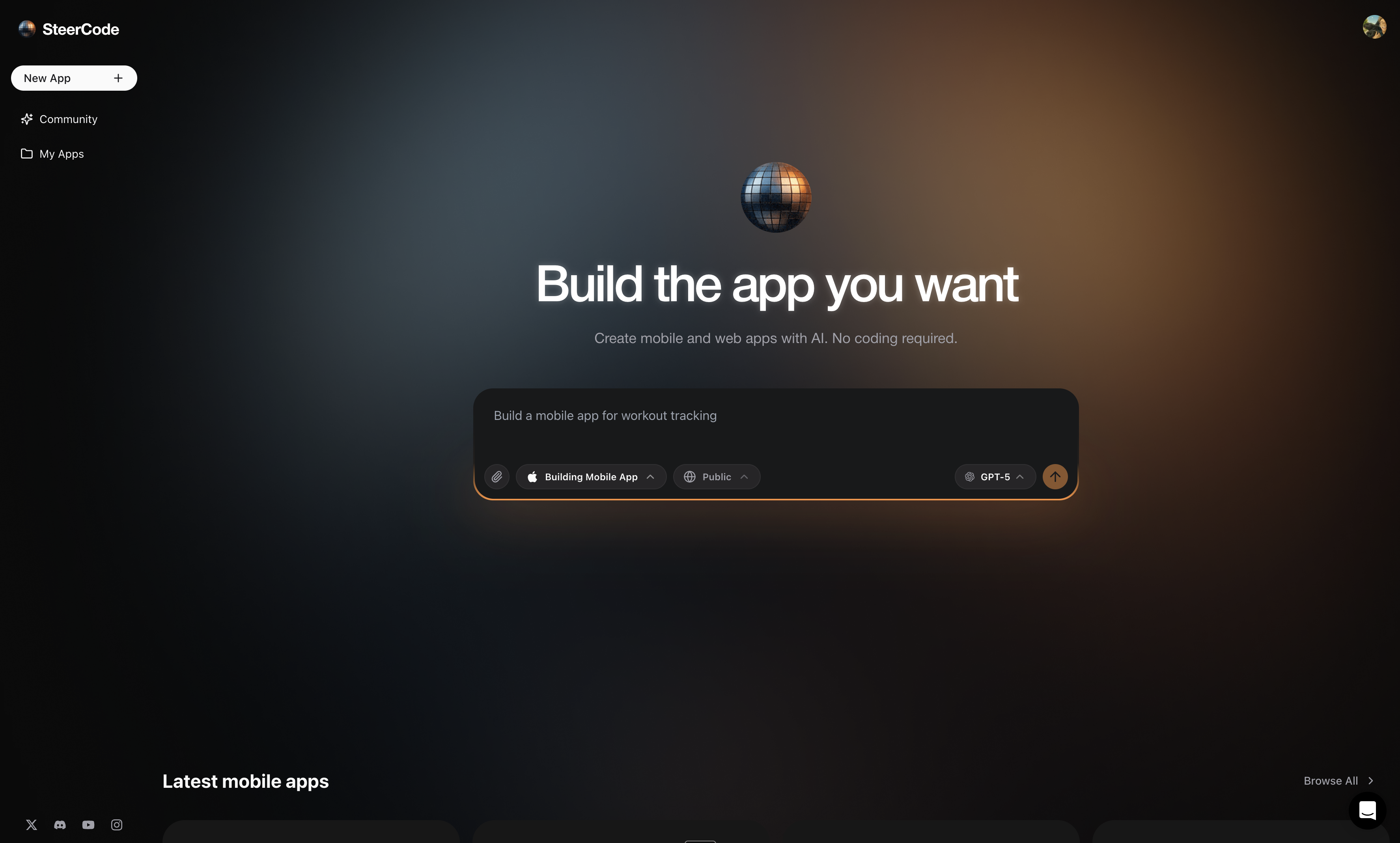 Choose **Mobile app** (learn more) or **Website** (learn more).
Select **Public** or **Private** depending on who should see your project. See{" "}
Private projects for details.
Select your preferred model for generation. See{" "}
Choose AI models to understand
trade-offs.
Describe the app you want in clear, specific language and start generation.
Build in increments. Start simple, then add features. See Plan effectively.
SteerCode builds your first version automatically. When it’s ready, you see
your app running. Keep chatting to refine features, UI, and copy.
### What’s next?
* Extend functionality with integrations like **Supabase** for auth & database: Integrations
* When you’re happy, **publish and share**: Publish
- Start with a smaller scope if the request is complex - Clarify any domain
terms or API you referenced - Check{" "}
Common issues for fixes
Choose **Mobile app** (learn more) or **Website** (learn more).
Select **Public** or **Private** depending on who should see your project. See{" "}
Private projects for details.
Select your preferred model for generation. See{" "}
Choose AI models to understand
trade-offs.
Describe the app you want in clear, specific language and start generation.
Build in increments. Start simple, then add features. See Plan effectively.
SteerCode builds your first version automatically. When it’s ready, you see
your app running. Keep chatting to refine features, UI, and copy.
### What’s next?
* Extend functionality with integrations like **Supabase** for auth & database: Integrations
* When you’re happy, **publish and share**: Publish
- Start with a smaller scope if the request is complex - Clarify any domain
terms or API you referenced - Check{" "}
Common issues for fixes