> ## Documentation Index
> Fetch the complete documentation index at: https://docs.steercode.com/llms.txt
> Use this file to discover all available pages before exploring further.
# Build a Mobile App
> Learn how to build mobile apps with SteerCode
SteerCode builds native mobile apps using Expo and React Native.\
It’s also the **first mobile app that builds mobile apps**, so you can generate on the go.
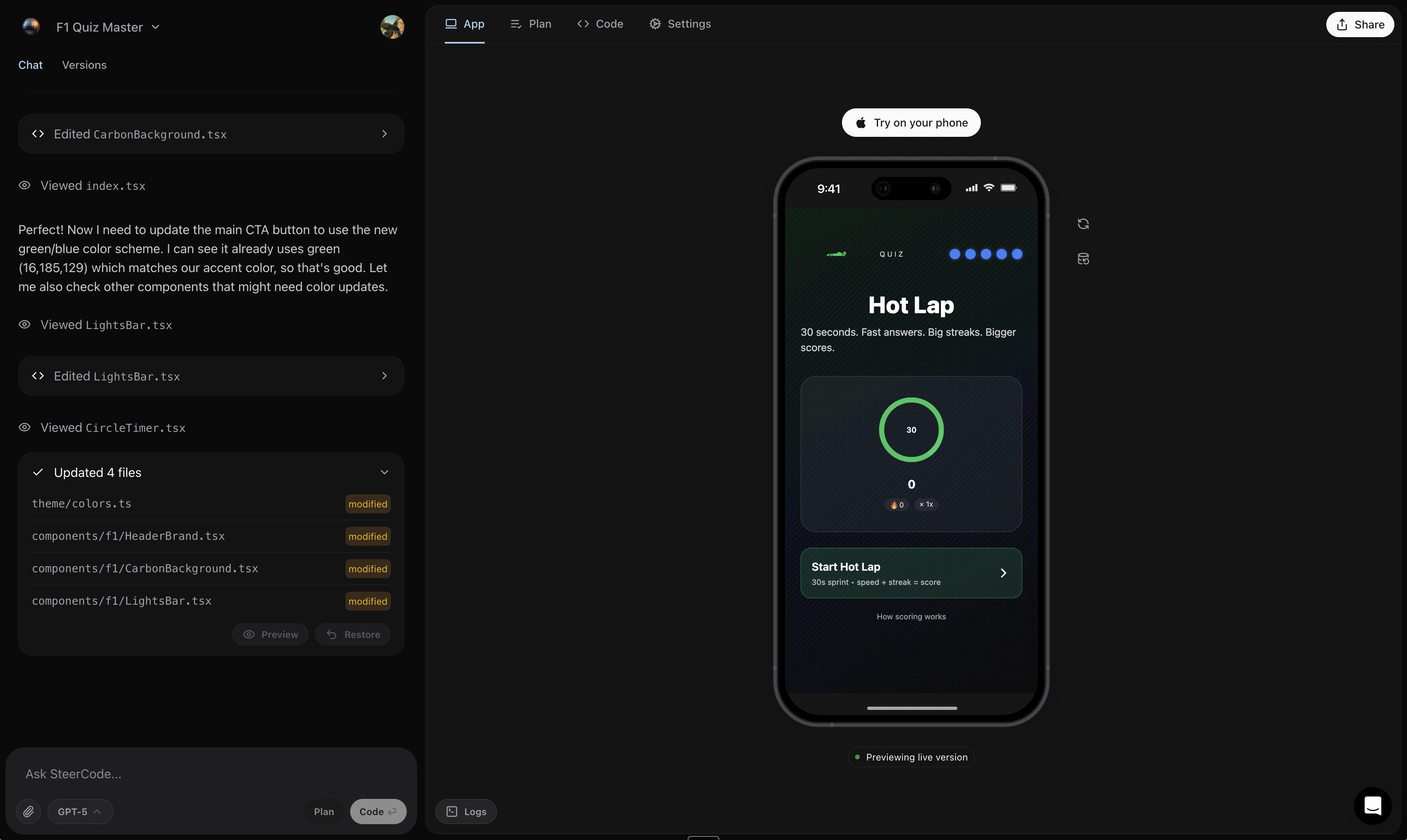 ### How it works
1. Open steercode.com or download the iOS app
2. Type (or voice-record) your app idea
3. Click **Generate**
In a few minutes you’ll have a custom native app. Apps can access location, contacts, calendar, camera, photo library, notifications, gyroscope, steps, sensors, flashlight, battery info, on-device/remote AI features, and more.
When requesting hardware features, mention each capability (e.g., “camera capture with gallery permissions” and “background location updates”) so SteerCode scaffolds the correct permissions and flows.
### Share instantly
* **iPhone**: Share and open instantly via **App Clip** — no App Store install required.
* **Android**: Open in **Expo Go** from the Play Store to preview.
Learn more: Instant app sharing · Publish to the App Store
Some device features require user permission prompts and real device testing. Simulators may limit certain APIs.
Ready to start? See Mobile apps — Getting started.
### How it works
1. Open steercode.com or download the iOS app
2. Type (or voice-record) your app idea
3. Click **Generate**
In a few minutes you’ll have a custom native app. Apps can access location, contacts, calendar, camera, photo library, notifications, gyroscope, steps, sensors, flashlight, battery info, on-device/remote AI features, and more.
When requesting hardware features, mention each capability (e.g., “camera capture with gallery permissions” and “background location updates”) so SteerCode scaffolds the correct permissions and flows.
### Share instantly
* **iPhone**: Share and open instantly via **App Clip** — no App Store install required.
* **Android**: Open in **Expo Go** from the Play Store to preview.
Learn more: Instant app sharing · Publish to the App Store
Some device features require user permission prompts and real device testing. Simulators may limit certain APIs.
Ready to start? See Mobile apps — Getting started.